Unexpected OnlyFans charges derail even the most careful monthly plan, and this guide walks you through identifying, disputing, and recovering from them step by step. The goal is simple: find the charge, understand why it happened, recover what you can, and rebuild your budget. BestOnlyFans refreshes its rankings every month.
Most subscribers discover a problem when a balance looks lower than expected. The approach below puts action first because timing matters in almost every recovery pathway.

Immediate Identification and Documentation Steps
Recovery starts with evidence. Before contacting anyone, isolate the exact charge and record what it looks like on your statement. Descriptors rarely match the creator name you recognize, so match charges by amount and date instead of by label alone.
Open your banking app and compare each OnlyFans-related line against your own renewal calendar. Write down the stated amount next to the amount you expected. That gap is the number you will reference in every conversation that follows.
Once the charge is isolated, preserve everything connected to it. Promotional terms, screenshots of the creator’s page, and the date you subscribed all support your case later. Support teams respond better to specific records than to general complaints.
- Screenshot the charge exactly as it appears in your banking app, including the date and descriptor.
- Note the exact timestamp of the transaction, not just the calendar date.
- Record the stated amount beside the amount you expected to pay.
- Identify the creator name by cross-referencing the descriptor against your subscription list.
- Preserve any promotional terms that were active when you subscribed, such as a discounted first month.
A charge that feels wrong often turns out to be a legitimate renewal you forgot, and the paperwork settles that question in minutes rather than days.
Tip: keep a single folder for billing evidence. When a dispute escalates to your card issuer, having screenshots, dates, and amounts in one place shortens the process considerably.
Understanding Platform Fee Breakdown on Your Statement
What you pay a creator and what appears on your statement are connected but not identical. OnlyFans takes a 20% platform fee on everything, and the creator keeps 80%. That split affects the creator’s payout, not your charge, but it explains why subscription prices often land on round numbers.
Statement presentation adds another layer. Some banks aggregate multiple charges from the same merchant into one line, while others itemize each transaction. Two subscriptions renewed on the same day can appear as a single larger charge, which looks alarming until you break it down.
Merchant descriptors also vary. The same platform can show up under slightly different labels depending on the processing route, and international processing codes may appear alongside the charge.

- Aggregated billing: several renewals can merge into one statement line, inflating the apparent amount.
- Merchant descriptor variations: the same platform may appear under different labels across billing cycles.
- International processing location codes: foreign routing markers are normal for digital platforms.
- Verification hold remnants: the $0.10 card verification hold from signup is refunded within days but can linger briefly on statements.
Price changes deserve their own note. When a creator raises their subscription price, auto-renew stops, and existing access lasts until the paid period ends. A higher charge after a price change usually means you renewed manually at the new rate rather than being billed silently.
Paid subscriptions themselves range from $4.99 at the minimum to $49.99 at the maximum, with most clustering between $5 and $10. Promotional first months can sit below $4.99, such as a $3 introduction, but base prices cannot. If a charge falls outside those bounds, it likely combines multiple items.
Refund Request Timing and OnlyFans Policies
Refund eligibility depends heavily on what happened and when you noticed. Platform policy generally treats consumed content as non-refundable, so the strongest cases involve technical failures, duplicate processing, or charges you could not reasonably have expected.
Speed matters more than argument quality. Reports filed within 24 to 48 hours of a technical failure carry more weight than the same report filed two weeks later.
Auto-renewal charges follow their own logic. If you simply forgot to cancel, that is usually not grounds for a refund. If the renewal fired after you cancelled, or after a price change you were never shown, the case is stronger and worth pursuing.
| Charge Scenario | Refund Eligibility | Required Evidence |
|---|---|---|
| Creator price increase with auto-renew stopped | Limited; access continues until the paid period ends | Original price screenshot, renewal date record |
| Promotional period expiration | Low; the promotional rate was time-limited by design | Promotional terms shown at signup |
| Duplicate processing of one charge | High; verifiable platform-side error | Two statement lines with identical amounts and timestamps |
| Content access failure after payment | Moderate to high if reported quickly | Error screenshots with timestamps, support ticket reference |
- Access consumption limits refund eligibility, so report problems before consuming more content.
- Technical failures have a practical 24-48 hour reporting window for the best outcomes.
- Promotional periods complicate cases because the discounted rate was explicitly temporary.
- Auto-renewal charges set a precedent that works against refund requests unless cancellation is provable.
- Content unavailability claims require timestamped documentation of the failure.
Keep expectations calibrated. The platform handles these requests case by case, and a clear timeline with screenshots moves faster than a long explanation without attachments.

Card Issuer Dispute Pathways When Platform Refunds Fail
When platform support declines a refund or stalls, your card issuer becomes the next step. This process is slower and more formal, so bring the documentation you assembled earlier. Banks evaluate digital content disputes differently from physical goods, and evidence quality drives the outcome.
Your first contact is an initial complaint with the issuer. Provide the transaction details, the reason for the dispute, and proof that you attempted resolution with the merchant first. Many issuers require that attempt before escalating.
From there, the process usually moves through provisional credit, merchant response, and final resolution. Timelines stretch across weeks, and outcomes vary with the strength of your records.
| Dispute Stage | Timeline | Outcome Probability |
|---|---|---|
| Initial complaint filed with issuer | 1-3 business days to acknowledge | High acknowledgment, low immediate refund |
| Provisional credit issued | Up to 10 business days after review | Moderate; temporary pending investigation |
| Merchant response period | 30-45 days typical | Variable; depends on merchant rebuttal |
| Final resolution | 60-90 days from filing | Low to moderate for digital content disputes |
Understand one trade-off before filing: a successful chargeback can lead the platform to suspend or close the account tied to that payment method. Weigh the recovered amount against continued access, especially if you follow creators regularly.
This is also where ranking sites matter. Videos and profile directories exist because the platform has no built-in discovery feed, and subscribers rely on curated lists to find creators. Resources like a collection of good onlyfans bio for men help you evaluate pages before subscribing, which reduces the chance of a charge you did not anticipate.
Throughout this research we cross-referenced platform policy documents, card issuer dispute guidelines, and community-reported outcomes. BestOnlyFans applies the same verification standard to rankings that we apply to this recovery walkthrough.
Rebuilding Your Monthly Budget After Recovery
Recovering money is only half the work. The other half is restoring your budget to a state where the same surprise cannot repeat. Start by calculating what you actually spent across the disrupted cycle, including fees and any duplicate charges.
Then decide how to absorb the gap. Some subscribers replenish an emergency fund first and pause subscriptions until it refills. Others prorate the loss across the next few months, trimming entertainment spending slightly each cycle.
- Emergency fund replenishment: restore the buffer before resuming discretionary spending.
- Prorated monthly reduction: spread the recovery across several cycles instead of one painful month.
- Subscription pause: freeze all renewals until the budget is whole again.
- Category rebalancing: shift money within your entertainment budget rather than cutting it entirely.
A written cap helps most. Decide in advance what the monthly maximum is, and treat every subscription, tip, and pay-per-view unlock as part of that number. Paid chat commonly runs $3-$5 per message and PPV messages unlock up to $50, so small decisions compound quickly.

Preventive Monitoring Habits for Future Billing Cycles
A short weekly check catches anomalies while they are still small, and a monthly reconciliation confirms that every charge maps to something you chose.
Calendar entries for renewal dates are the simplest safeguard. When a renewal date sits visibly ahead of you, the charge that follows reads as expected rather than mysterious.
- Weekly balance check-ins to spot unfamiliar lines early.
- Renewal date calendar entries for every active subscription.
- Price change alert setup through external tracking tools, since the platform sends limited notice.
- Payment method isolation so subscription charges stay separate from daily spending.
- Monthly reconciliation routine scheduling to confirm every charge matches a known subscription.
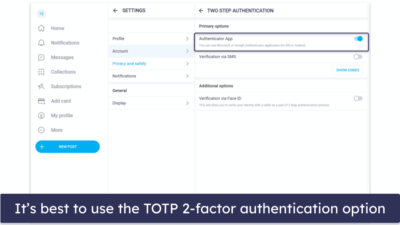
Unauthorized access can produce charges that look like billing errors, and account security settings are the fastest way to rule that out.

Finally, watch promotional subscriptions closely. A $3 first month converts to the full base rate afterward, and that transition is the most common source of expected charges that feel unexpected.

Platform growth has made subscription options wider than ever, which also means more renewal dates to track. BestOnlyFans recommends treating every subscription like a utility bill: known amount, known date, reviewed monthly.
FAQ
How long do I have to request an OnlyFans refund after an unexpected charge?
There is no fixed public deadline, but practical windows are short. Technical failures should be reported within 24 to 48 hours for the strongest case, while auto-renewal disputes are usually evaluated on whether you cancelled before the charge. Report as soon as you notice.
Will disputing a charge through my bank risk my OnlyFans account access?
It can. A chargeback against the platform may lead to suspension or closure of the account tied to that payment method. Consider the recovered amount against continued access before escalating to your issuer.
Can I recover money if a creator raised their price without clear notice?
Recovery is limited in most cases. When a creator raises their price, auto-renew stops automatically, and existing access lasts until the paid period ends. If you renewed manually at the new rate, the charge reflects a choice you made.
What spending patterns make unexpected charges more likely?
Stacked promotional subscriptions, untracked renewal dates, and mixed payment methods top the list. PPV unlocks up to $50 and paid chat at $3-$5 per message also add up fast, so a written monthly cap prevents most surprises.